





Description
Ensure project sustainability and efficiency from start to finish with our Kanban Board Excel Template—a practical, automated solution for managing tasks, teams, and workflows without the need for expensive software. Designed around agile project management principles, this template empowers managers and teams to stay organised, improve decision-making, and deliver results effectively.
Why Choose This Template?
One of the key responsibilities of a project manager is to balance effectiveness, efficiency, and accountability. With our automated Kanban system in Excel, you can easily visualise your workflow, monitor progress, and prioritise tasks—all within a tool you already know how to use. No extra apps, no steep learning curve.
Kanban Board Excel Template Features:
Basically, the template has 5 main sections:

Core Features
✔ Automated Kanban Board – Track every task by board, priority, due date, status, or assigned team member.
✔ Calendar Integration – View project schedules by month and year, filter by responsibility, and monitor deadlines.
✔ Performance Dashboard – Get an instant overview of progress, overdue tasks, and team efficiency with dynamic charts.
✔ Customizable Database & Settings – Define boards, team members, statuses, and priority levels, all fully adaptable to your project needs.
✔ Flexible Task Tracking – Monitor start dates, end dates, due dates, and overdue percentages with colour-coded priority levels.
✔ Advanced Filters – Focus on upcoming tasks (e.g., due in the next 5 days) to stay proactive and ahead of deadlines.
Kanban
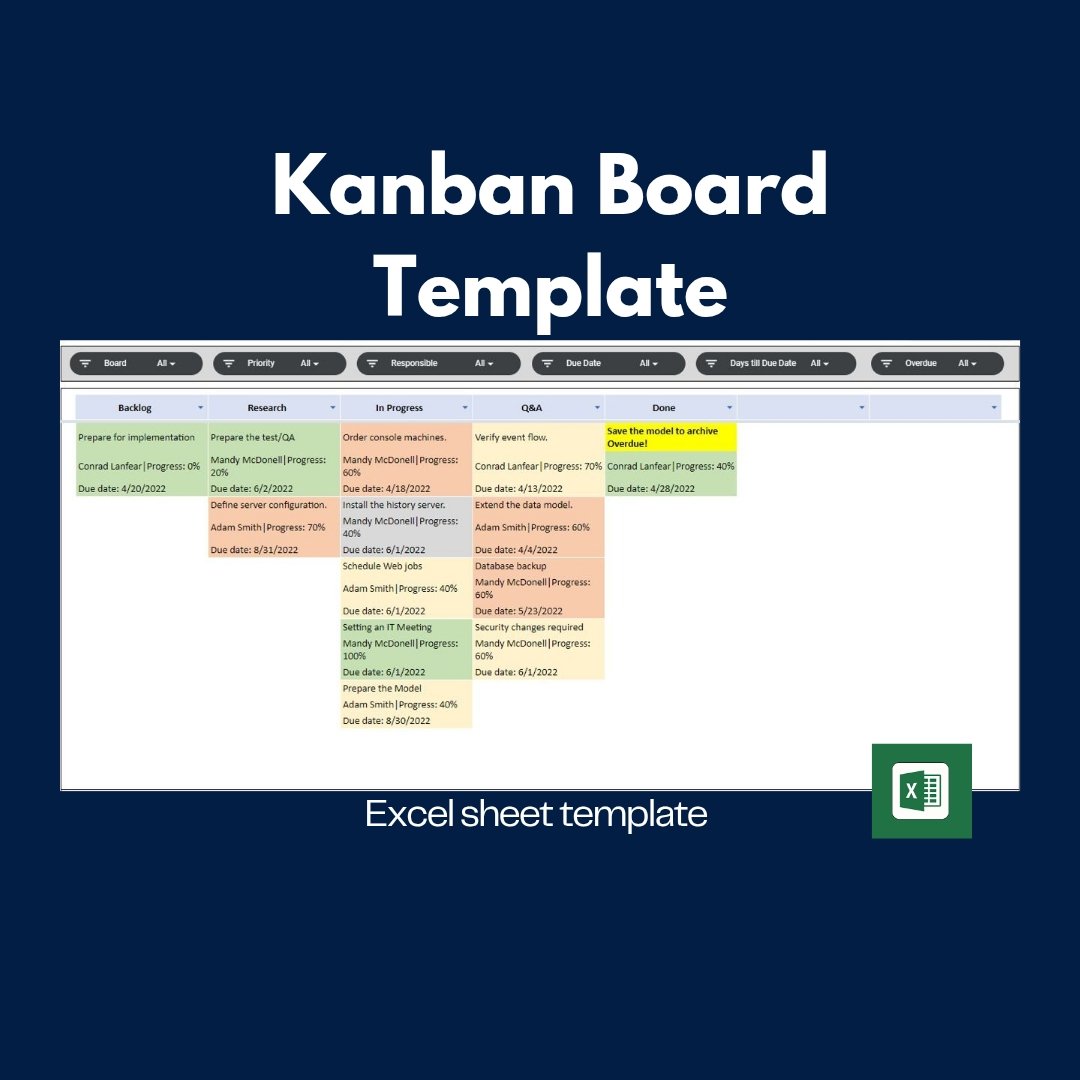
In this section, you will display the kanban cards depending on the selected board and the filter you choose.
You may check and display the projects under many filters, such as priority, responsible person, task due date, overdue, and time until the due date.
Benefits for Your Team
Streamline Workflow: Visualise tasks across different stages for clarity and accountability.
Improve Collaboration: Assign responsibilities and ensure transparency for all team members.
Make Informed Decisions: Use real-time dashboards and charts to identify risks, bottlenecks, and opportunities.
Save Time & Costs: Manage projects directly in Excel—no new software installations or training required.
Professional & Print-Ready: Generate clear, organised reports for meetings, stakeholders, or internal reviews.
Dashboard
In the Dashboard section, you may check the performance and the general view of your projects. Once there is a change in your data, use the refresh button to update it.
Database
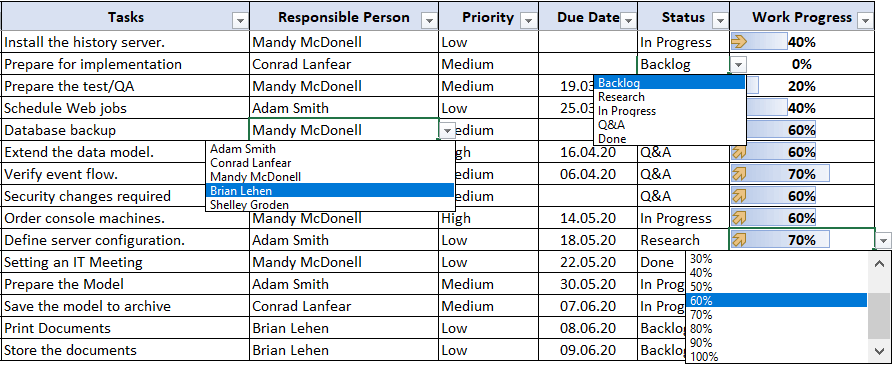
You can use the database to enter your task and its properties. Just select the board section, responsible person, priority and statistics from the dropdown menu.
To be able to select them, you need to list your options in the Settings section.
Technical Details
Fully customizable in Excel
Works on both Mac & Windows (Excel 2013 and later)
Includes VBA code & macros for automation
Ready to print and easy to use—no installation required
With this Kanban Board Excel Template, you’ll have full control over your project pipeline—from backlog to completion. Keep your team aligned, meet deadlines confidently, and deliver consistent results with a tool designed for modern, agile project management.
Plan smarter. Work faster. Deliver better.




Reviews
There are no reviews yet.